56.5 Assigning Operators to Receive Warning and Error Messages
You can select GroupWise users to receive warning and error messages issued by the GWIA. Whenever the agent issues a warning or error, these users, called operators, receive a message in their mailboxes. You can specify one or more operators.
An operator can also shut down the GWIA by sending a mail message addressed as follows:
gwia:shutdown
Replace gwia with your GWIA’s name.
To assign an operator:
-
In ConsoleOne, right-click the GWIA object, then click .
-
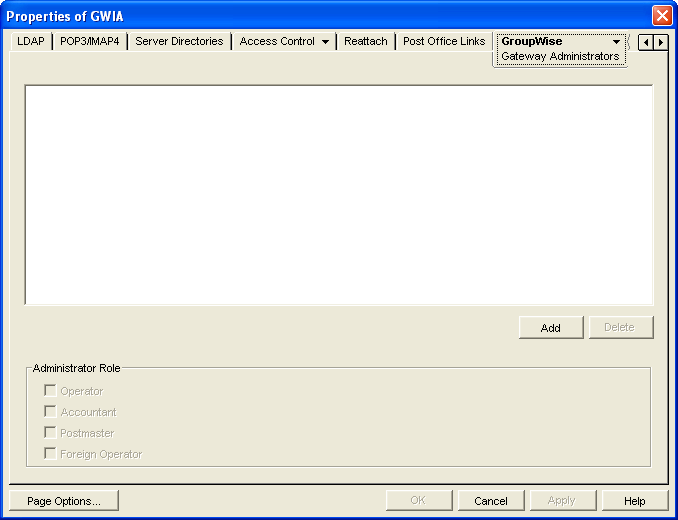
Click to display the Gateway Administrators page.
-
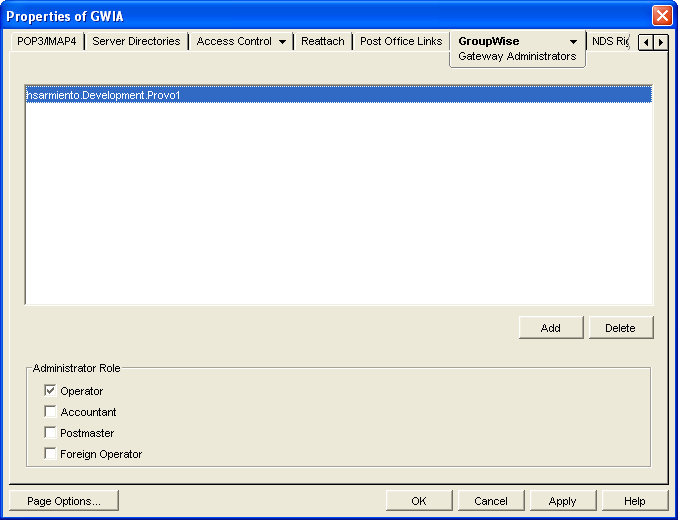
Click , select a user, then click to add the user to the Gateway Administrators list.
-
Make sure is selected as the Administrator Role.
-
If desired, add additional operators.
-
Click .